Posts

How to write great content for your website
Image
There is a great article over at  smashing magazine about the copywriting errors  that can ruin a company website - these points along with using content templates, writing great H2 heading tags and using appropriate images and infographics will ensure great content for the website you're designing. Let's start with those copywriting errors: 1. Focus on the reader NOT the company What's in it for the reader how will it benefit them and give them a better experience?  They don't want to know about how cool the company is. The article has some useful links to  setting a word budget  to promote a product or service. 2. Put the message up front The average web visitor scans a page to find what they are looking for and will move on if it's not obvious.  (check out  the dominant reading pattern of a web page here ) So put the main message up front and obvious.  Check out  this post about how to write good H2 titles . 3. Make meta data work ...

How to write a call to action button - an online call to action tool

Image
A call to action button entices your viewers to click to do more than just read.  This can be anything from  Buy  to  Try  to  View  and anything inbetween. What is it that you want your viewers to do? Writing a compelling  Call to Action  will help your conversions. One tried and tested method is to have an  Action  (order or command) followed by the  Product Name  (optional) with a  Timeframe  (for a sense of urgency) and then a  Tagline  (sometimes located outside the button). The following simple form allows you to pick some common variations to come up with a unique call to action phrase that fits your product or service. Web Devil Call to Action Generator:     ..choose an action     Order     Buy     Add to basket     Get it     Buy your tickets     Purchase     Add to wishlist     Schedule a con...

How readable is my website? Test how easy it is to read

Image
You want your readers to be able to quickly scan your web page and pick out the information they are after. But how easy is it to read your website? What we need is reliable readability tests! Online readability tests are quick tools to measure your text.  Take a look at the following two sentences: "The afore mentioned web resource provides statistics on the ease of readability of documents." Gunning Fog index: 14.17 "This website is great for measuring how easy it is to read some text." Gunning Fog index: 5.60 ..both mean the same thing - but have vastly different reading levels.  The Gunning Fog index is just one measurement. It indicates the number of years of education needed to understand text on first reading. Obviously the second sentence would be understood quicker and by more people. Check out this online readability test  www.online-utility.org  - just cut and paste the text.  It has a number of different methods of analysing your text ...

What is a crossdomain.xml file?

Image
A crossdomain.xml file is a file that usually sits in the root folder of your webserver.  This file is basically an opt-in to allow access to your data from outside your web domain.  This is the crossdomain bit - you have to actively give permission for someone to "trespass". Many web applications require access to data from somewhere different than where the app file originates.  The crossdomain.xml file gives these web apps permission. Things that may require crossdomain.xml access: Flash SWF Flex Adobe pdf reader Silverlight Example of a crossdomain.xml file: This following example of a crossdomain file basically allows no access, it's the strictest policy.  <?xml version="1.0"?> <!DOCTYPE cross-domain-policy SYSTEM "http://www.adobe.com/xml/dtds/cross-domain-policy.dtd"> <cross-domain-policy>     <site-control permitted-cross-domain-policies="none"/> </cross-domain-policy> If you want to al...

Convert a picture into a plain text image

Image
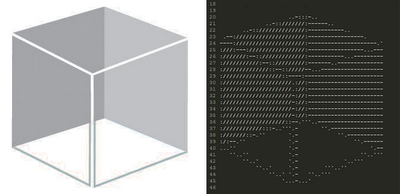
Imagine you have a picture or logo that you want to represent in a plain text file - a readme.txt or humans.txt perhaps. There is no way you can insert an image file format (jpg or png) into these plain text files.. but you can try and represent them using a bunch of //##**$$ characters. This can be hard to create freehand - so what about an online tool that can help? Amazingly enough there is a website that does just this!  Check out  text-image.com

Kanban software HTML/JavaScript application

Image
This is a great personal kanban that runs in your browser using HTML/JavaScript written by the talented Greg Gigon. A Kanban is a scheduling system that can be used to schedule tasks generally using the simple three-bin system. I personally have four bins!!  Priority/Awaiting/In Progress/Finished. Alternative bins for web development are: Backlog/Selected/ Develop ongoing/Develop done/Deploy/Live This software version allows you to quickly add/change/delete and move tasks into the different bins. Get it for free from here: http://greggigon.github.io/my-personal-kanban/ Watch how it works here:  

How to comment on blogs for SEO exposure

Image
Blogs are a fertile ground to add comments and many allow links to be inserted as well.  This can lead unscrupulous "backlinkers" to use comments to create backlinks to their sites. As we all know, backlinks are one of the factors that search engine algorithms use to determine the rank of a page.  However, there are a number of things you should watch out for: 1) Make your comment related to the post. I see so many crap SEO comments on this blog.  They are just generic comments that could apply to any blog, and always followed by a link. These are obviously spam backlinks (which get deleted). If you're going to try to cultivate backlinks in this way, make the comment related to the post - add your thoughts on the subject or why the post was good or bad (ps. you don't have to go brown-nosing in your comments to get a backlink, nothing stimulates conversations more than some precise criticism) 2) Does the comment count? You may not realise it, but many websites ...

Content Management Systems - Concrete5

Image
Over the next couple of weeks I'll throw together a review of the various content management systems you can use for web development and hopefully find some good videos that give a brief intro into these CMS's. I thought I'd start with the Concrete5 CMS. Not as famous as other platforms (wordpress, drupal, joomla etc.) but a great base to build your web sites. Concrete5 is now open source but was originally built in 2003 for AdCouncil (an American non-profit organisation that distributes public service adverts on behalf of various sponsors including the US government). Unlike many other CMS platforms Concrete5 didn't start out as a blogging tool - this makes it great for building non-blog style websites (but you can add blog functionality using a free blog add-on). Some of the benefits of Concrete5: It's free You can rebrand and resell It's easy to take HTML/CSS designs and then add the CMS functionality There's a marketplace of Add-ons (blogs, w...

Content Management Systems - Nuggetz

Image
Okay, so let me start by saying that Nuggetz isn't a fully blown CMS like Wordpress or Concrete5, it's simple.. really really simple. It's like the first CMS I built in PHP (but looks nicer) that allows simple content management of static web pages. It's what you want if you have a web site with a few static pages and you want your client to be able to edit the contents.  It's so easy for content management you KNOW that whoever changes the content can't get confused. They can't bugger up the whole site by clicking on the wrong control panel - because there aren't any control panels.  They just login and edit the "nuggets" of information right inside the pages!!! The reason I've included this is that it could well be the solution you've been looking for - easy content management for a simple brochure style website. No bells, no whistles, no add-ons widgets or plugins. As it's so simple there aren't many videos about Nugg...

The best free web design ebooks to download

Image
Starting to learn web design? Need access to good reference books? Here are some of the best free web design ebooks you can find on the web right now: Build Your Own Website The Right Way Using HTML & CSS, 3rd Edition http://it-ebooks.info/book/962/ Learning Web Design, 3rd Edition A Beginner's Guide to (X)HTML, StyleSheets, and Web Graphics http://it-ebooks.info/book/308/ HTML5 Quick Learning Guide http://freehtml5templates.com/html5-quick-learning-guide/ Design Your Imagination http://www.lulu.com/gb/en/shop/webguru-india/design-your-imagination-free-web-design-ebook/ebook/product-4067431.html Build Your Own Database Driven Web Site Using PHP & MySQL, 4th Edition http://it-ebooks.info/book/405/

Examples of responsive web design

Image
 Following on from the previous post, here are some examples of responsive web design - animated so that you can see how the layout changes as the browser resizes.  These are all done using CSS3 media queries. This first example shows how the left-hand column disappears under the main content as the page width shrinks.  The logo shifts from the usual top left to be centred and the main links align under this logo. The images also scale all the way down to a 260 pixel width! This second example keeps the extra right hand column down to 410 pixels and only at the small sizes does the logo pop and centre itself. This following is an example of using media queries to take advantage of widescreen monitors all the way down to mobile widths. Notice how the main navigation goes from eight links down to four links and how the extra info is pruned away. The final example shows how images are scaled and removed to simplify the layout. You'll notice that all these...

Content Management Systems - Drupal

Image
Content Management Systems - Drupal And now it's the turn of Drupal - the much mistaken CMS.  I like to think of it not as a content management system, but as a web framework with modules.  To the first time user it is a confusing barebones system with not a lot of flexibility, until you find all the modules and work out which one does what. This leads to two types of people - those who have used Drupal, got confused/frustrated and now use Wordpress.. and those that struggled on up the steep learning and now love it. Here's a perfect example - you install Drupal and soon realise that when you add a new post or article it's just plain text (or you have to add HTML tags manually) there is no WYSIWYG editor by default.  Some people will give up and grumble - others will search for the the correct module, install it and be happy. If you use Drupal for every project you will learn the "Drupal way" of doing something.  You will have your core modules that you al...

Adobe Edge the new HTML5 animation development environment

Image
Adobe Edge the new HTML5 animation development environment Adobe Edge Preview 2 Review If you are a regular to the Web Devil blog you will have picked up that there is a trend away from Flash and into HTML5 and Javascript options for slideshows and animations and WebM for video (search the archives to find these articles). The thing we've been missing is a graphic interface to do animated HTML5 stuff.  Adobe has been backing both horses in this race and is in beta of Adobe Edge - the HTML5 animation tool. You can download the latest Sept 2011 build for free here -  https://www.adobe.com/cfusion/entitlement/index.cfm?e=labs_edge When you install Adobe Edge Preview 2 it gives you a 96 day limited use. Currently this version has simple drawing tools, but allows import of SVG and PNG files. The timeline is pretty sophisticated, anyone who has used flash or a movie editor will quickly pick up how this functions. Edge does automatic transitions/tweens which is pre...

Data Mining and Social Media

Image
Data Mining and Social Media Loved this cartoon about Facebook and you  "If you're not paying for it, you're not the customer.. You're the product being sold." Just think of the personal data that Facebook holds on individuals - name, DOB, schools, friends, websites  they "like" (ie brands & products), online games they play, bars, clubs, restaurants, foods, access times, computer OS, phone type, browser version, etc. If you still not convinced that there is any money to be made in this then check out this article on how an e-payment company sold 1.97 million customer data to six different companies (including a life insurance company) and has made a profit of HK$44million since 2006 http://www.riskmanagementmonitor.com/e-payment-co-makes-millions-selling-customer-data/ Here's a great article on how data mining is the next frontier for social media marketing.. http://mashable.com/2011/02/25/data-mining-social-marketing / Here is an old ...

How to Calibrate Your Monitor

Image
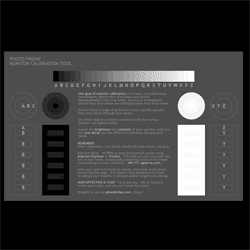
To calibrate one's monitor means to reset it to an accurate display of light and color. To make sure your seeing your own images accurately, you may want to calibrate your monitor every couple months. ( This link  provides a 'test page' of black and whites that may help you decide whether to perform a calibration. Handy instructions are provided:  http://www.photofriday.com/calibrate.php Calibrating your monitor can be a simple and free process. If you have Adobe Photoshop installed, you will already a calibration tool, Adobe Gamma, installed as well. To access it on a PC  (scroll down for instructions for Mac):  Go to your  Start  button (lower left corner of your screen),  /Control Panel/Adobe Gamma .  Move the pop up box to a lower or upper corner (this will make sure it not covered up by the monitor settings overlay in the next step). Then just follow the on screen directions. The pop up box will walk you through adjusting you...

Editing Photos for Print: When to Convert to CMYK?

Image
Editing Photos for Print: When to Convert to CMYK? Thank you for the great comments and suggestions on my posts about printing your own  Artist Business Cards  on my painting blog . I hope that some of you will be inspired to have cards printed (and I would love to see your results!). Loredana  asked a really great question this week:  "When you work on your photos to correct levels or balancing or anything else, do you work on RGB and after you modify it, you switch to CMYK to print?; or you switch to CMYK directly and you modify it later? I noticed a big difference from one to another when I watch the folder's preview and find the CMYK quite uncomfortable to watch!" The simple answer (with a few extra details):  For Print: Start with RGB, and do all or most of your editing in RGB. RGB is the native format for most digital files. Some editing procedures are not available in CMYK. Convert to CMYK as the last step  only if the file is being sent...

Program or be Programmed - Book Review

Image
Program or be Programmed - Book Review This is a quick review of Douglas Rushkoff's book  "Program or be Programmed". Its a pocket guide to how to become a literate participant in the digital age. It's small, quick to read and well worth the effort. Douglas Rushoff's basic premise is that in "the emerging, highly programmed landscape ahead, you will either create the software or you will be the software.  It's really that simple: Program or be programmed." - a direct quote from his book. I couldn't agree more - is the population going to be controlled by mobile technology,  facebook and it's future derivatives (including  interfaces that blend man and machine  even more) or will you recognise this control, and decide to program your own alternative? As Douglas mentions, we have the capacity to do something about this, but this time round we could  relinquish control not just to other people (as in religion and economi...

Make arrows and triangles with CSS only - no images

Image
Make arrows and triangles with CSS only - no images So today I wanted to make an arrow like the one below but I wanted to do this with CSS and not using a background image. As you'll know you can now make rounded corners using CSS3, but what about triangles and arrows like the one above? The answer is to use a trick with element borders.  Essentially when you make a big border on a tiny box they intersect in a triangle like this image. Then all you do is make three sides transparent so you see a triangle. This triangle is then added using the  :after pseudo-element to stick it onto a div box with the text inside. Here is the CSS code for a div tag with an id="arrow" just like my blue one above. #arrow {background-color: #3366cc; height: 30px; position: relative; width: 130px;color:#FFF;} #arrow:after {content: ' '; height: 0; position: absolute; width: 0; border: 15px solid transparent; border-left-color: #3366cc;left: 100%;top: 0px;}

CMYK vs. RGB: knowing which color space to use

Image
CMYK vs. RGB: knowing which color space to use The two basic color spaces, or Modes , that you'll most often encounter with your digital images are  RGB  and  CMYK . Each has a specific use, outlined below. RGB  (Red-Green-Blue) is the color of the  light  emitted from your computer monitor , and from TV's. Use  RGB  if you are taking photos specifically  to be viewed  onscreen , such as the internet, or for a CD or emails.  RGB  usually also works well for printing from your home or office printer. CMYK  (Cyan, Magenta, Yellow, Black) is the color of  inks  used in the offset printing process.  Use  CMYK  if you are sending your photo  to be printed , such as preparing a postcard to be professionally printed for a gallery invite. NOTE: CMYK is an option offered only in full versions of Photoshop; it is not available in Photoshop elements or most other photo editing programs (if you kn...

Responsive web design boilerplates - free!

Image
Responsive web design boilerplates - free! Following on from previous posts about responsive web design ( what is responsive web design ) and ( examples of responsive web design ) - here are a couple of great links to free boilerplates to get you started with HTML5 and CSS3 with all the media queries done for you :) 1) Gridless  - the basic no-grid boilerplate that is responsive.  Check it out at  http://thatcoolguy.github.com/gridless-boilerplate/ 2)Skeleton  - the boilerplate with the awesomely adaptable 12 column grid.  Just what we all want :) Check it out at  http://getskeleton.com/